Built around phone input
Use the content already on your iPhone instead of rebuilding the route manually from scratch.
NaviBatch is built for drivers who receive delivery lists as screenshots, videos, files, or copied text. Import the addresses, check the run, then send stops to Apple Maps with fewer repeated actions.
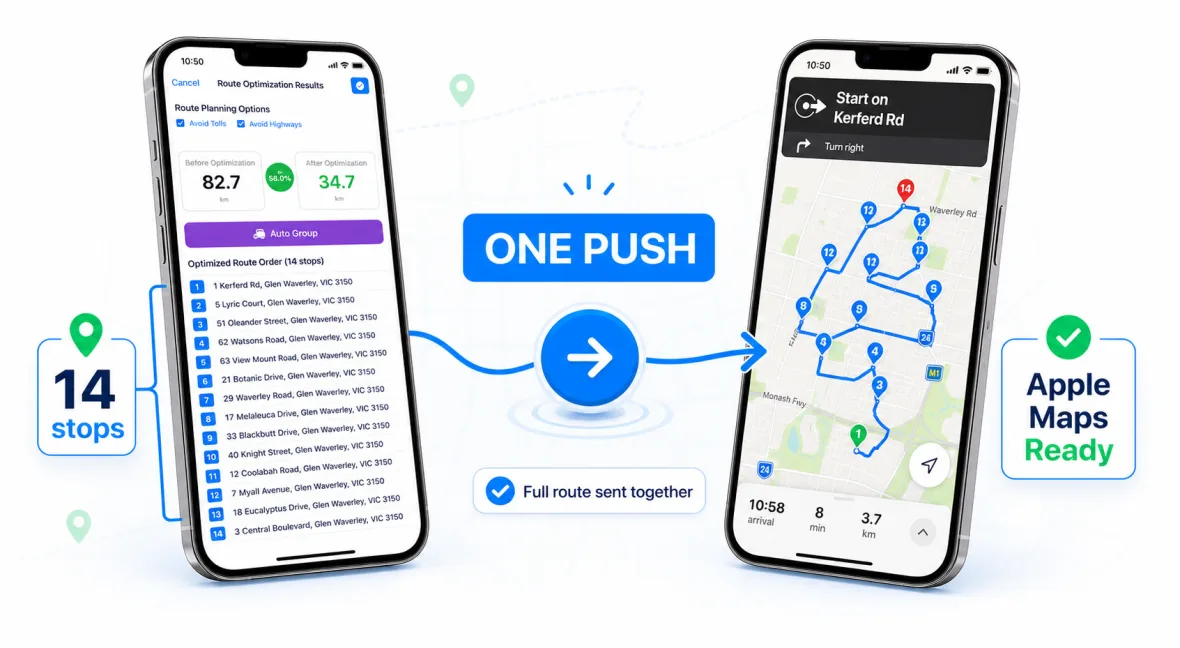
Many route planning tools are made for desktop dispatch teams or generic trip planning. Delivery drivers usually need something different: a fast way to turn the information already on their phone into a clean route. NaviBatch focuses on that daily workflow.
If your stop list arrives as screenshots, courier app lists, customer messages, or a screen recording, the slow part is usually not driving. It is copying addresses, correcting them, checking the sequence, and repeating the same Apple Maps actions. NaviBatch reduces that setup work so the route can start sooner.
Use the content already on your iPhone instead of rebuilding the route manually from scratch.
Keep stop order, route groups, package workflow, and proof of delivery close to the map workflow.
Prepare the run in NaviBatch, then hand planned stops to Apple Maps when it is time to navigate.
Add screenshots, videos, files, pasted text, or manual addresses.
Check that the detected stop names and addresses match the delivery run.
Plan the run in groups that match your delivery workflow and Apple Maps handoff.
Send planned stops to Apple Maps and begin the delivery route.
A good iPhone route planner should do more than draw a line on a map. For delivery work, it should handle messy input, make corrections easy, keep the sequence visible, and connect smoothly with the navigation app you already use.
NaviBatch is optimized for drivers who want a practical, repeatable workflow: import the stop list, clean it up, group it, and move it into Apple Maps. That is why the app also includes delivery-specific features such as package finder, proof-of-delivery photos, and smart route organization.
NaviBatch is designed for iPhone and Apple Maps workflows.
Yes. It is designed for delivery drivers, couriers, and other multi-stop workflows where addresses arrive in batches.
No. NaviBatch helps prepare and organize the route, then sends stops to Apple Maps for navigation.
Download NaviBatch on iPhone and try a workflow built for real delivery lists, screenshots, videos, and Apple Maps handoff.
Download NaviBatch