 NaviBatch
Current group
The first screen shows the group you are working on and how many stops are left. One tap sends its planned stops, up to 14, to Apple Maps.
CARPLAY · NEW IN 1.6.2
Since version 1.6.2, NaviBatch works with CarPlay. The car screen shows the group you are on. Tap once to send up to 14 stops to Apple Maps, and the current group moves on to the next one as stops are delivered.
iPhone with CarPlay · Free download · Optional Pro subscription
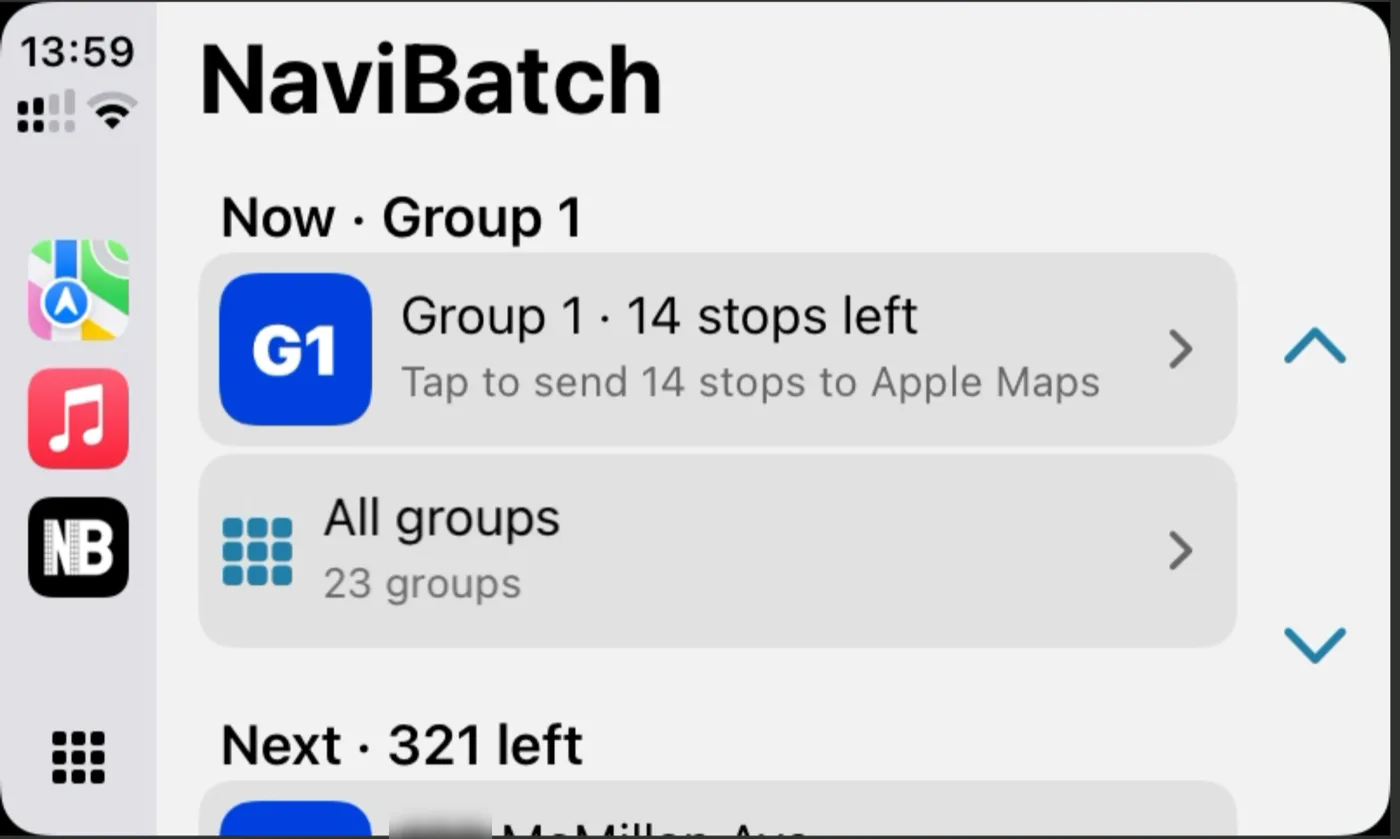
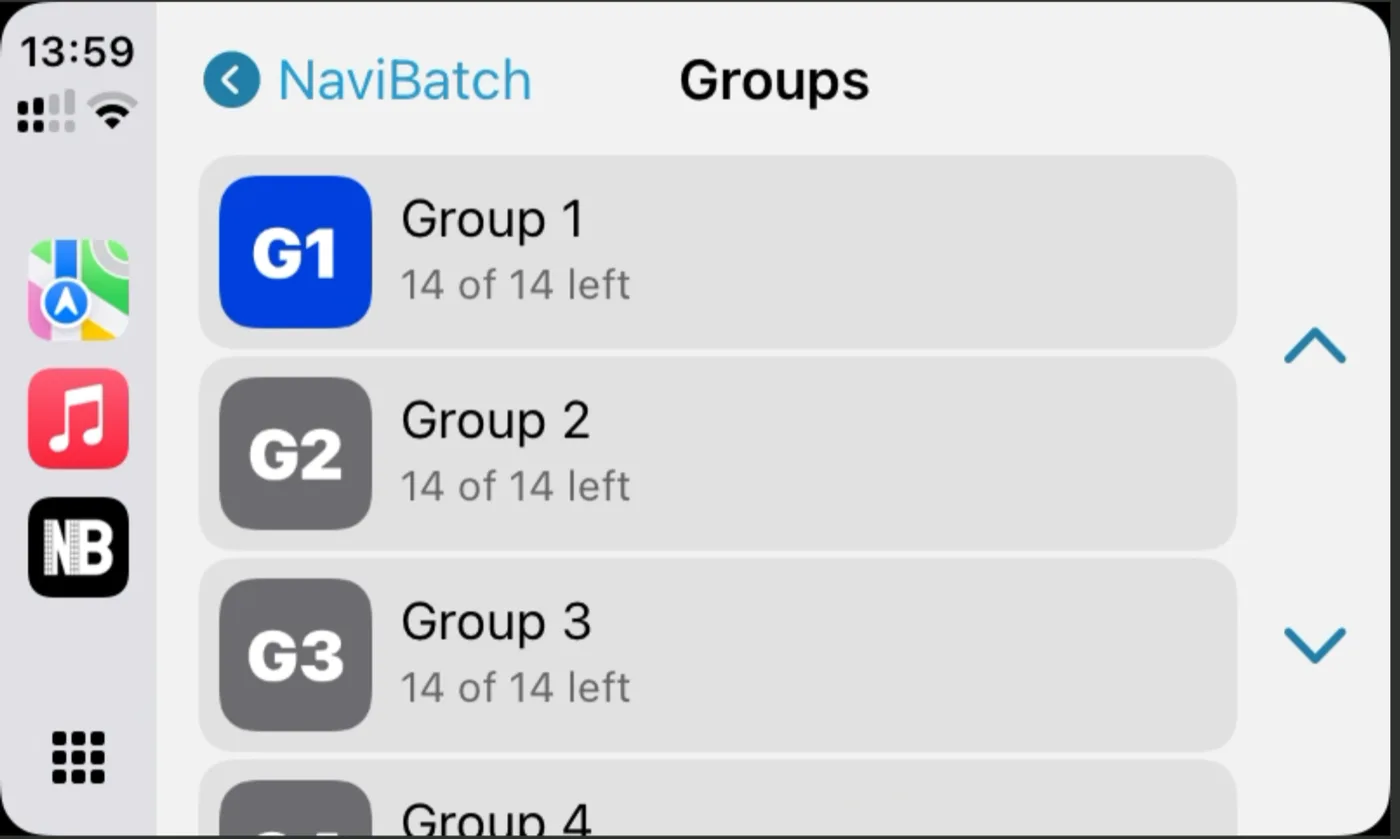
Actual CarPlay screens from the app. House numbers hidden.
The first screen shows the group you are working on and how many stops are left. One tap sends its planned stops, up to 14, to Apple Maps.
Browse every group on the route, see how many stops are left in each, and open any group.
Mark stops delivered from CarPlay. As a group is finished, the current group moves on to the next one.
Import stops from screenshots, long images, videos, files or pasted text, and review the list.
Keep the company stop order or optimize, then split the route into groups.
Open NaviBatch on the car screen. The current group is ready at the top. Tap the group to send its stops to Apple Maps and start driving.
The free plan includes Group 1 on CarPlay. Pro unlocks every group on the route.
Yes. CarPlay support arrived in version 1.6.2, released on the US App Store on November 15, 2026. Connect your iPhone to CarPlay and open NaviBatch on the car screen.
Up to 14 planned stops of the current group, in one tap.
CarPlay shows the map apps installed on your iPhone. In NaviBatch, the one-tap group button on the car screen sends the current group to Apple Maps. If you prefer Google Maps or another installed map app, send the route from NaviBatch on your iPhone as usual.
As stops are delivered, the current group moves on to the next one, so the next tap sends the next group.
Yes. You can browse all groups and mark stops delivered from CarPlay.
The free plan includes Group 1 on CarPlay. To use every group, upgrade to Pro.
On your iPhone. Import and review stops there first; CarPlay shows the route you have already planned.