Long screenshot support
Use driver-provided long images when visible addresses and stop labels are captured in one tall screenshot.
When a driver provides SpeedX-style screenshots or slow scroll videos, NaviBatch can import visible addresses and stop labels for review. The driver then chooses the route order, creates groups, and hands a reviewed group to Apple Maps. Other map-app handoffs are version-dependent. NaviBatch does not connect to a SpeedX account or download orders.
A driver-provided SpeedX-style list may show many delivery addresses alongside package or stop numbers that need to stay connected to parcels. The driver needs to keep those visible labels and address details together while avoiding manual retyping.
NaviBatch turns the visible list the driver provides into editable route-ready address groups. The driver can check the recognized addresses and labels, choose the route order, and hand the reviewed group to Apple Maps for turn-by-turn navigation.
Use driver-provided long images when visible addresses and stop labels are captured in one tall screenshot.
Use driver-provided screen recordings for long lists where slow scrolling preserves more visible context.
Confirm addresses before sending a group to Apple Maps. Check the installed app for any additional, version-dependent map options.
NaviBatch is most useful when the driver has a delivery list that is visible but not route-ready. The app helps convert that list into editable address groups, but the driver should still verify addresses before sending the group to Apple Maps.
Use screenshots, long screenshots, or a slow scroll video where stop numbers and address text are clear.
Review apartment details, duplicate rows, and any address that looks different from the original delivery list.
When stop numbers reflect scanning and loading order, keep that sequence in groups instead of globally rearranging every address.
SpeedX-style routes can include many delivery addresses in a tight area. Route order still matters, but drivers can also lose time before driving by extracting addresses, checking unit details, grouping the run, and adding addresses into a navigation app one by one.
For a normal address list without a required sequence, drivers can optimize the full route. When visible stop labels reflect a company sequence used for scanning and loading, drivers can keep the overall order, divide it into groups, and optionally optimize only within the selected group. The reviewed group is then handed to Apple Maps as a separate step; other map-app handoffs are version-dependent.
NaviBatch is an independent route setup tool for delivery drivers. It does not sign in to, connect to, or download orders from a SpeedX account. NaviBatch works only with address information and stop labels the driver provides through screenshots, long images, videos, files, pasted text, or manual entry. NaviBatch is not affiliated with, endorsed by, sponsored by, or officially integrated with SpeedX, Apple, Google, or any delivery platform. Platform names are used only to describe driver workflows.
No. NaviBatch is an independent route setup app and is not affiliated with, endorsed by, sponsored by, or officially integrated with SpeedX.
No. NaviBatch does not sign in to a SpeedX account or download orders. It works only with address information and stop labels the driver provides through screenshots, long images, videos, files, pasted text, or manual entry.
NaviBatch can import visible addresses and package or stop numbers from user-provided screenshots, long images, and videos. It does not fetch hidden account or order data, and drivers should review the detected rows before routing.
For a normal address list without a required sequence, the driver can optimize the full route. When visible stop labels reflect a sequence used for scanning and loading, the driver can keep the overall order, divide it into groups, and optionally optimize only within a selected group.
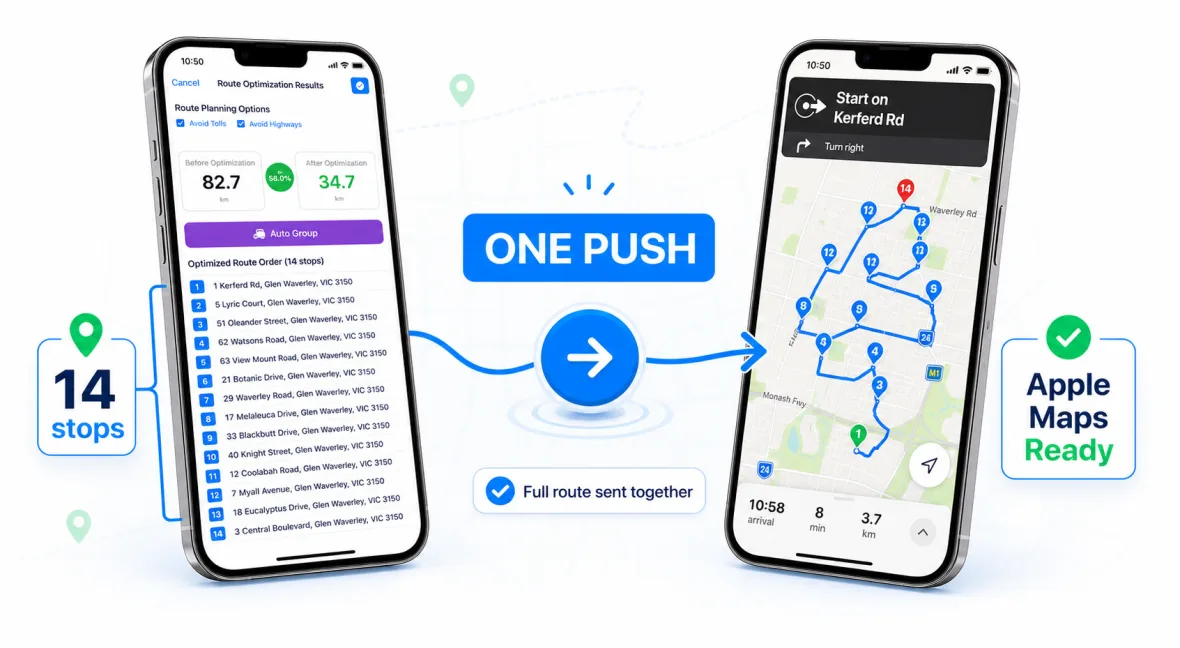
After review, NaviBatch can send up to 14 planned delivery addresses to Apple Maps in one push. Other map-app handoffs are version-dependent and should be checked in the installed app. Larger SpeedX-style lists should be handled as reviewed groups.
User-provided screenshots and videos can contain cropped rows, visual noise, or OCR mistakes. Review-before-routing helps catch those issues before the route is handed to the navigation app.
Use NaviBatch to import, review, group, and hand off delivery addresses before driving.
Download NaviBatch