 NaviBatch
← All route planner comparisons
A WORKFLOW COMPARISON
NaviBatch vs Spoke (formerly Circuit)
Choose NaviBatch for reviewed iPhone delivery lists and group-by-group Apple Maps handoff. Explore Spoke if time windows, stop priorities and package organization are central to your route.
Published by NaviBatch. Official sources checked September 28, 2026. Features can vary by plan and platform.
NaviBatch
Review your delivery list. Keep the sequence that matters. Navigate one Apple Maps group at a time.
Spoke (formerly Circuit)
A route planner built around flexible delivery planning, time windows and package details.
| What matters | NaviBatch | Spoke (formerly Circuit) |
|---|---|---|
| Address input | Screenshots, long images, videos, files, paste or manual entry. Review the detected addresses. | Its official listing describes keyboard, voice and spreadsheet entry. |
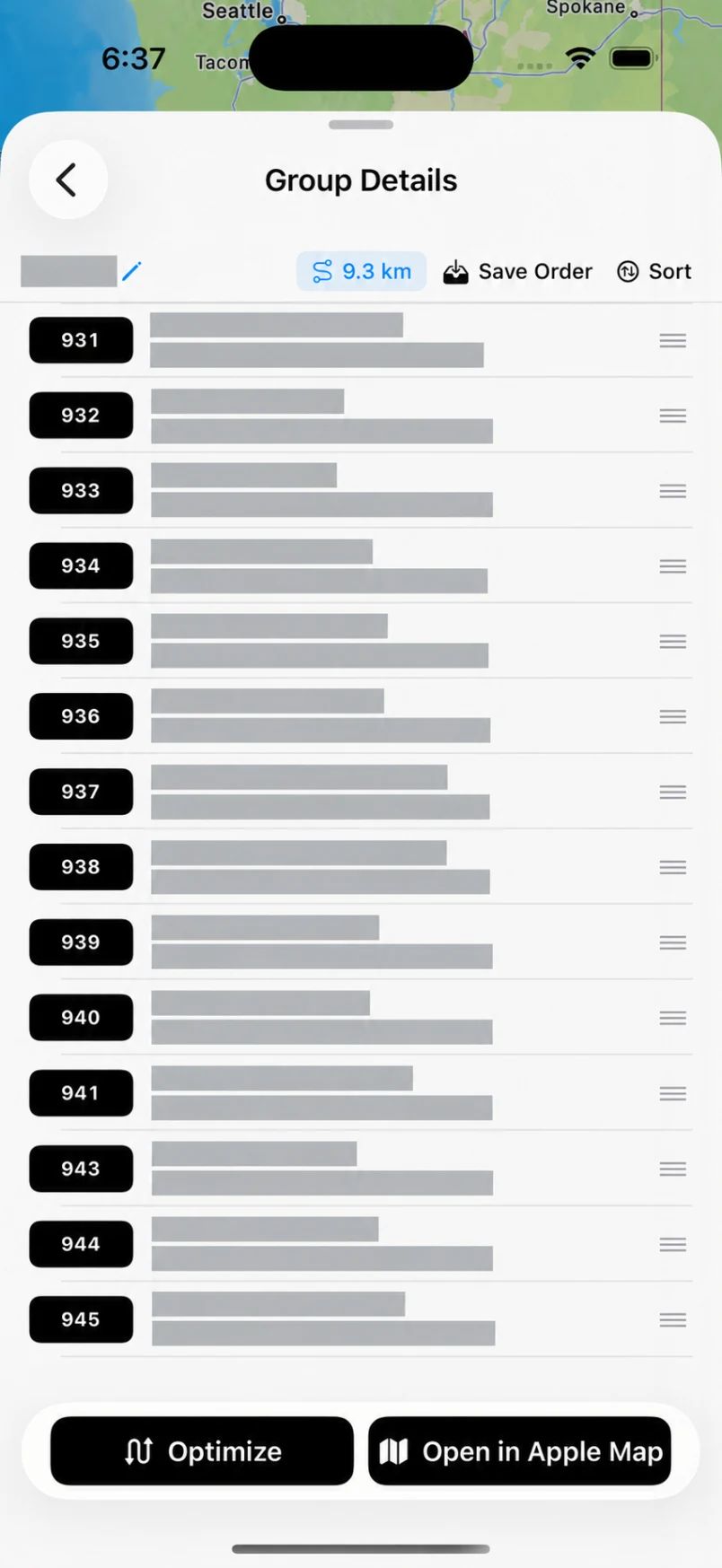
| Planning & stop order | Full-route optimization for flexible lists. Preserve company sequence and optionally optimize only a selected group when loading order matters. | The listing describes route optimization, stop priorities and delivery time windows. |
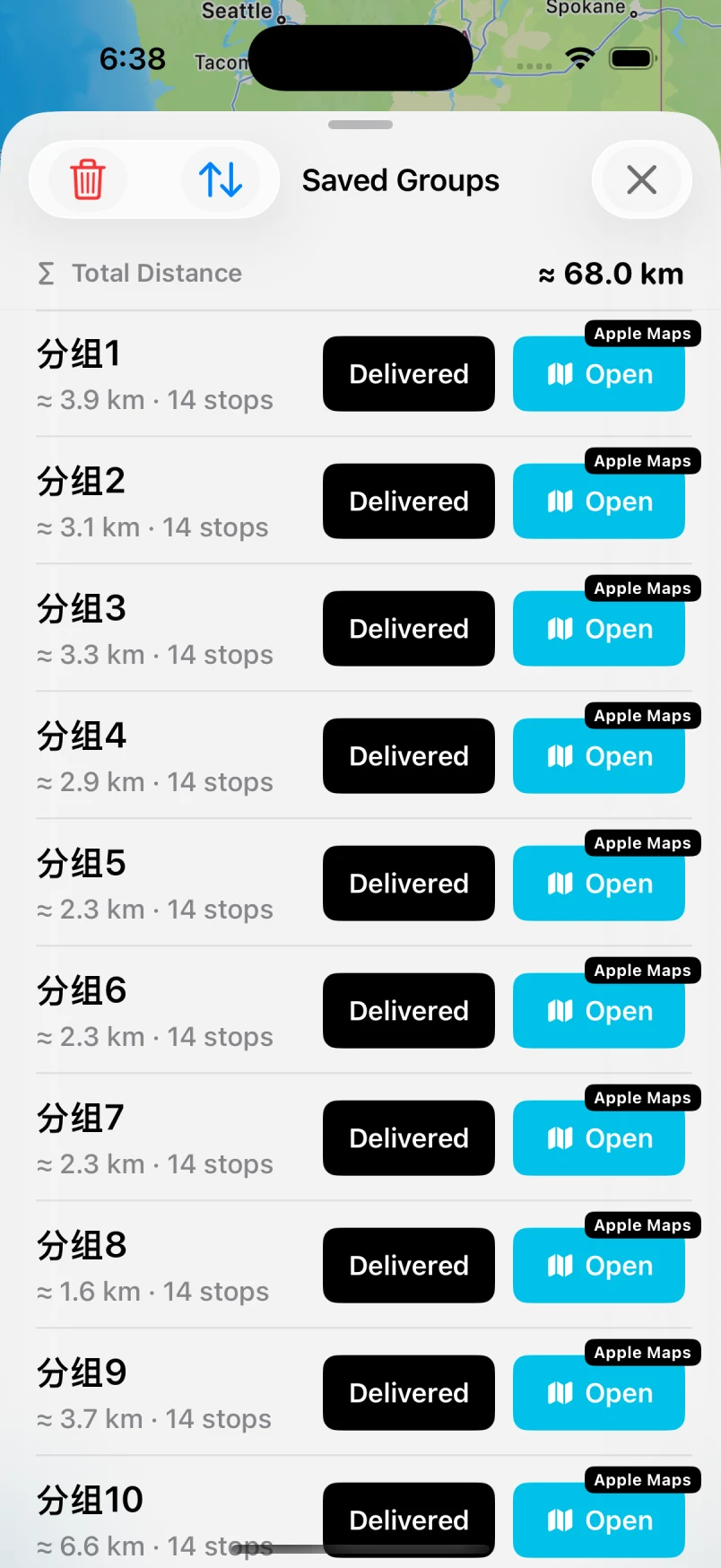
| Navigation workflow | Send one reviewed group of up to 14 planned addresses to Apple Maps in one push. Return for the next group. | The listing describes use with navigation apps such as Waze and Google Maps. Check the iPhone app for its current navigation options. |
| Limits to check | Fourteen is the size of one Apple Maps handoff, not a full-route limit. Free and Pro route/import allowances are shown in the app. | Plan availability and limits vary; confirm in your regional store. |
This table summarizes public product information, not a controlled performance test. We have not verified an identical group-only optimization or 14-stop Apple Maps handoff in the other app; that is not a claim that it lacks those features.
Match the app to your delivery day.
Spoke’s time-window and package-detail workflow may fit drivers managing flexible appointment-style stops. NaviBatch’s emphasis is reviewing an existing delivery list and moving through Apple Maps in groups while keeping a company sequence when needed.
Try this comparison on your next route.
01 Import the same list
Check missing rows, units and duplicates against your source.
02 Check your sequence
Confirm that your planned order still matches how packages are loaded.
03 Test map handoff
Compare the steps needed to begin navigation and continue the next group.
Common questions.
Is NaviBatch better than Spoke?
It depends on your workflow. Compare your real address source, stop-order constraints, navigation preference and required plan limits. This comparison does not establish a universal winner.
Is a 14-stop handoff the same as a route-size limit?
No. NaviBatch sends one group of up to 14 planned addresses to Apple Maps at a time. A provider’s total route capacity describes a different limit. Always compare the same type of limit.
Sources & scope
- Spoke’s official Google Play listing
- NaviBatch’s public App Store listing
- NaviBatch’s group navigation and planning workflow
Last checked: September 28, 2026. NaviBatch is independent and is not affiliated with the compared provider. Trademarks belong to their owners. Verify current prices and platform-specific features directly with each provider.
Reviewed. Grouped. Ready for Apple Maps.
One group. Up to 14 planned stops. Then the next.