Import options
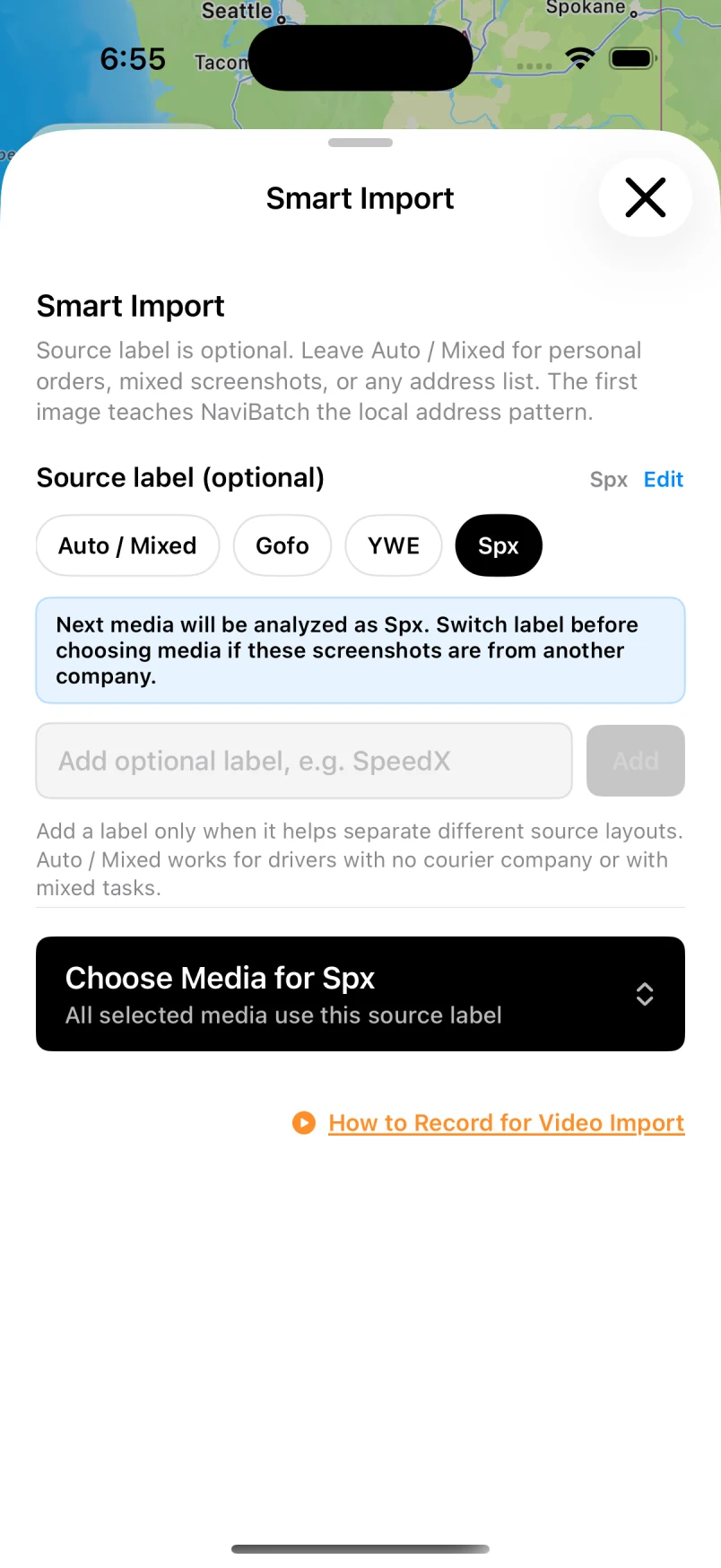
Screenshots, video, files and pasted text start from one screen.
NaviBatch is an iPhone app for drivers who prefer to navigate with Apple Maps. Import the addresses from your own screenshots or a screen recording of your stop list, review them, split the block into groups, and send one group of up to 14 stops to Apple Maps in one push. NaviBatch is independent: it does not connect to an Amazon Flex account and does not replace your delivery app.
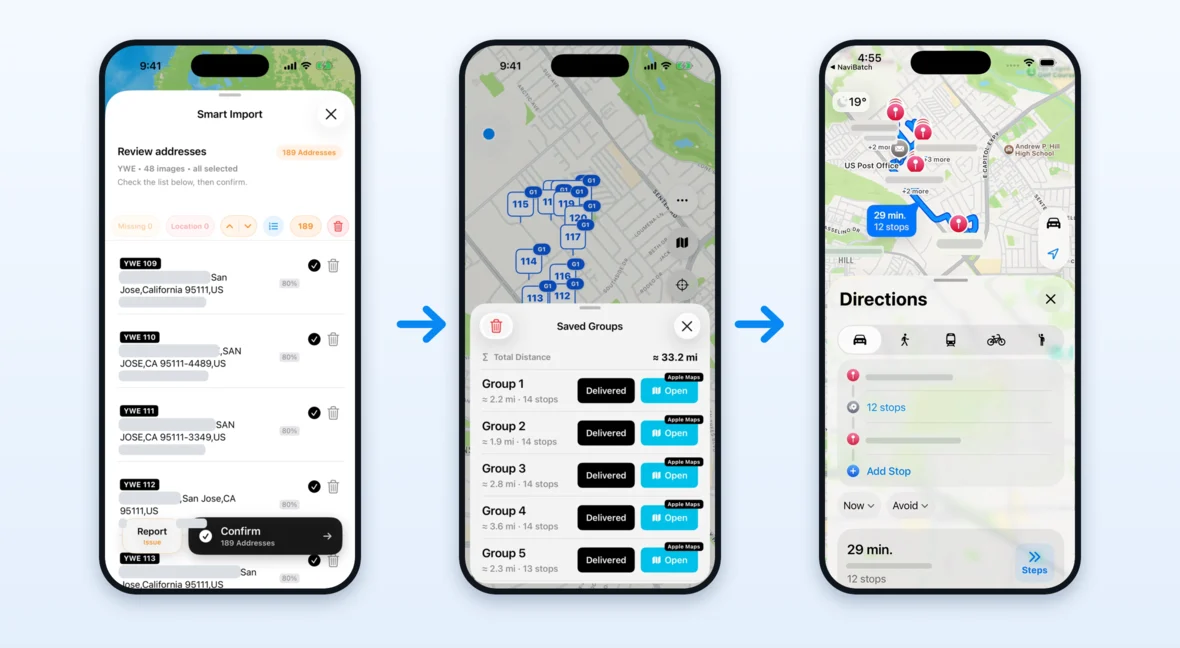
Apple Maps accepts up to 14 stops on a driving route, and each stop has to be added by hand. A delivery block usually has more stops than that. NaviBatch keeps the whole reviewed list, divides it into groups of up to 14, and sends one group to Apple Maps with one tap. When that group is done, you send the next one.
NaviBatch does not read anything from Amazon. It works only from what you import: screenshots, a long image, a screen recording, a file, or pasted text.
| Task | Your delivery app | NaviBatch |
|---|---|---|
| Accepting blocks and seeing the itinerary | Yes | No |
| Scanning packages and confirming delivery | Yes | No |
| Customer notes, access details, delivery photos | Yes | No |
| Reviewing addresses and map pins from an imported list | — | Yes |
| Splitting a long list into groups of up to 14 | — | Yes |
| Sending a whole group to Apple Maps in one push | — | Yes |
| Showing the current group on CarPlay | — | Yes (version 1.6.2 or later) |
You still open your delivery app at every stop. NaviBatch only changes how the addresses get into Apple Maps.
Screenshots, video, files and pasted text start from one screen.
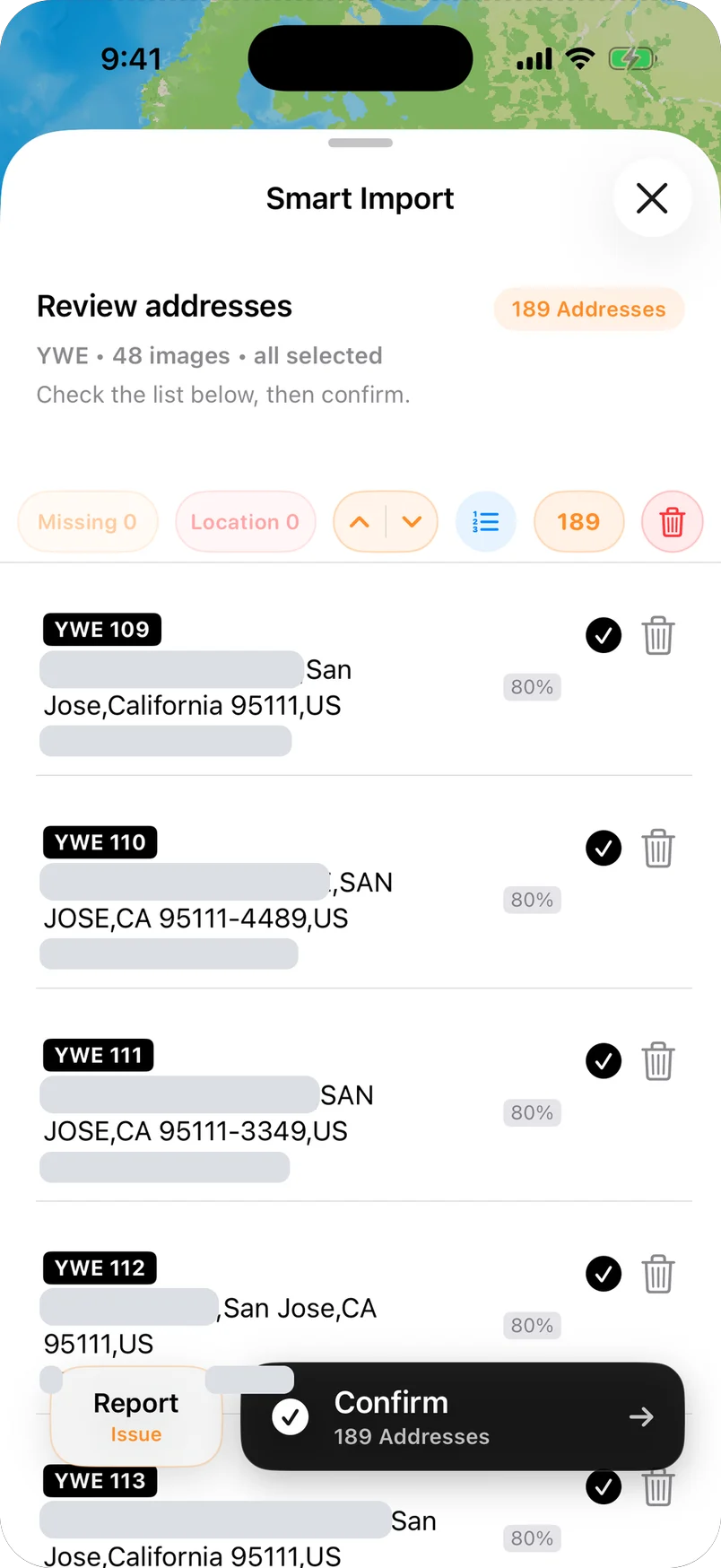
One row per stop with its stop number. Address details are hidden in this image.
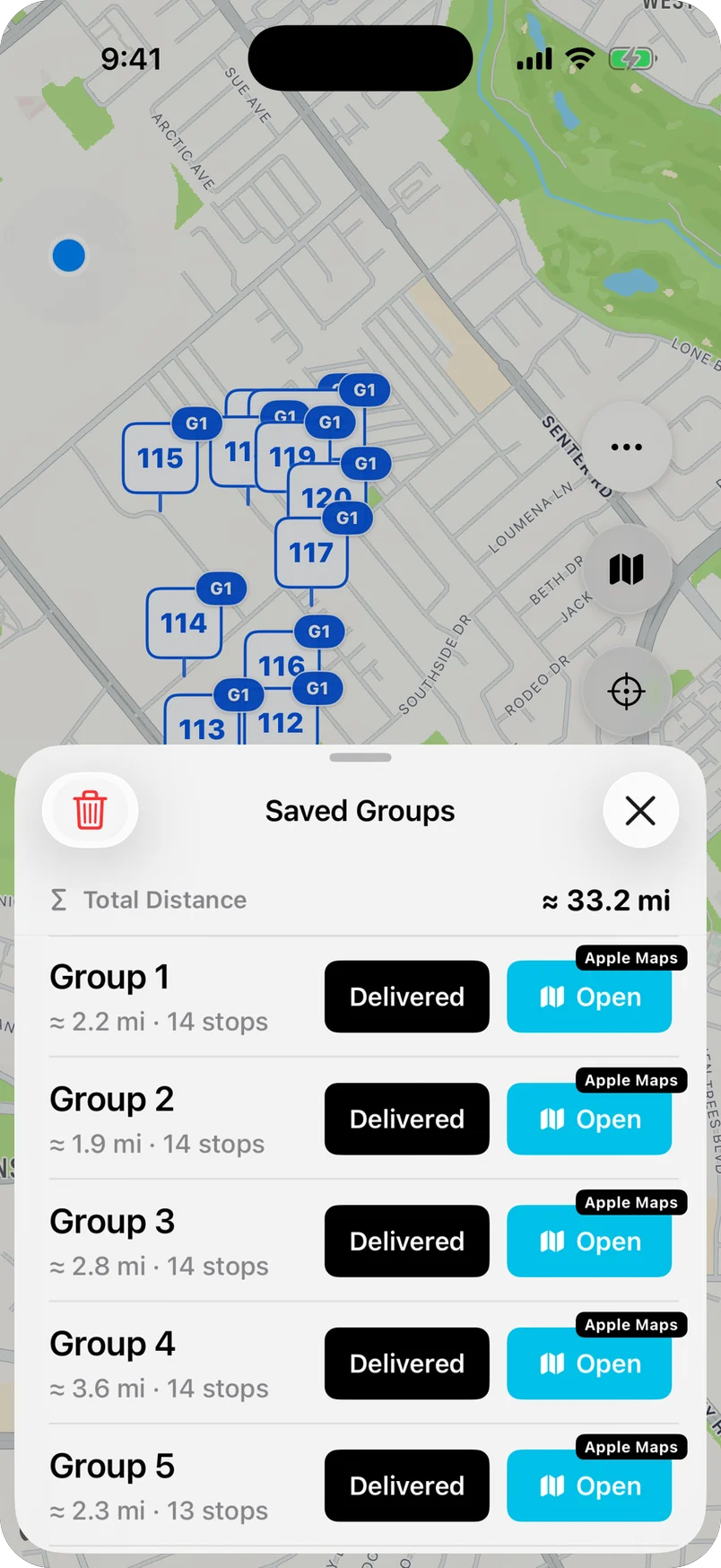
Saved groups, each ready to open in Apple Maps.
NaviBatch is an independent route setup tool for delivery drivers. It is not affiliated with, endorsed by, sponsored by, or officially integrated with Amazon, Amazon Flex, Apple, or any delivery platform. Amazon and Amazon Flex are trademarks of Amazon.com, Inc. or its affiliates, and the names are used here only to describe the kind of stop list a driver may have. NaviBatch is not built for one delivery company: drivers for any courier or last-mile company use the same workflow.
No. NaviBatch is an independent route setup app. It is not affiliated with, endorsed by, sponsored by, or officially integrated with Amazon or Amazon Flex.
No. NaviBatch does not sign in to an Amazon Flex account and does not download itineraries or orders. It reads only the screenshots, long images, screen recordings, files, or pasted text that the driver chooses to import.
No. Scanning, delivery confirmation, delivery photos, customer notes, and access details stay in your delivery app. NaviBatch only prepares the address list: review, grouping, and handoff to Apple Maps for turn-by-turn navigation.
Up to 14 planned delivery addresses in one push, which is the number of stops Apple Maps accepts on a driving route. A longer block is kept as groups in NaviBatch, and you send the next group when the current one is done.
Yes, when you want it to. A list you are free to reorder can use full-route optimization. If you loaded your car in the itinerary order, you can keep that overall order, split it into groups, and optimize only inside a selected group.
No. NaviBatch is an iPhone app and requires iOS 17 or later.
No. Screenshots can have cropped rows, and apartment or unit numbers are the most common place for mistakes. NaviBatch shows a review step before routing so you can fix addresses and map pins first.
Import, review, group, and send up to 14 stops to Apple Maps in one push.
Download NaviBatch